 HR³ PRO · Excel Edition
HR³ PRO · Excel Command Center
Your whole HR function in one workbook.
Type each person once. Leave, payroll, appraisals, training and the dashboard all update from that one list. Guidance is built into every sheet.
10HR modules
43Linked sheets
1People list
Start here
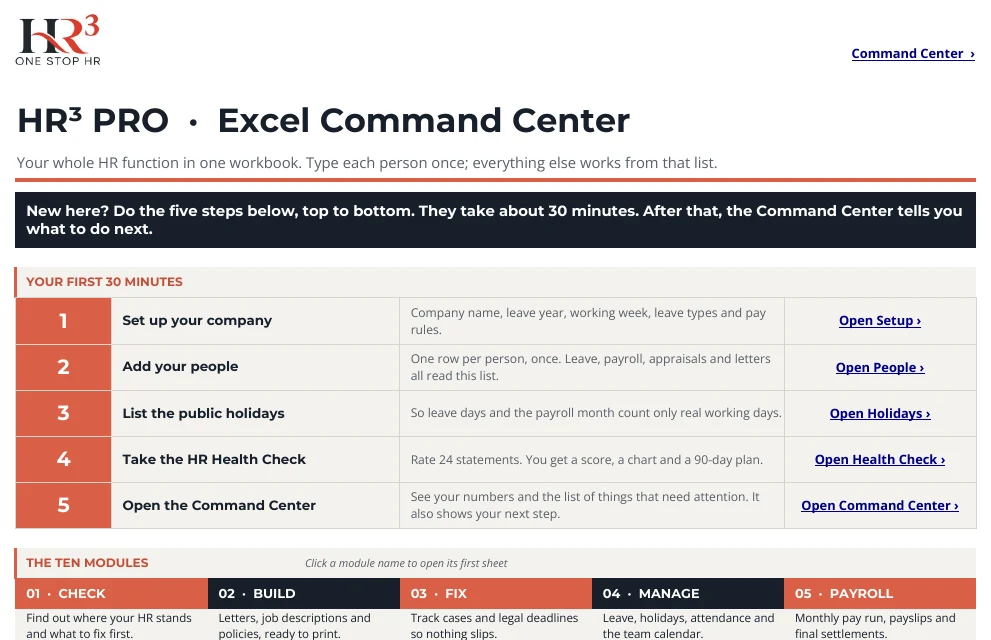
Open it and it tells you what to do.
- Five steps, about 30 minutes, with a link on each
- Every sheet opens with What this is, What to do and What you get
- No macros and no sign-in: just Excel
One list
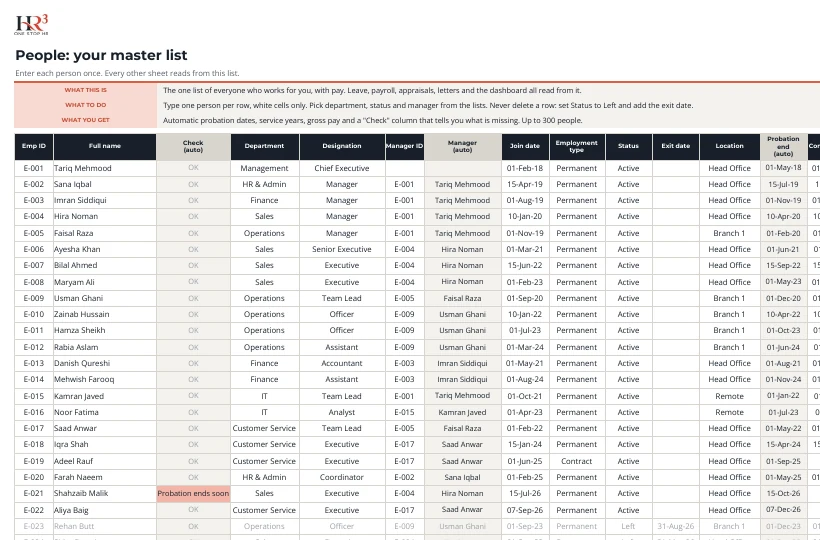
Add each person once.
- Leave balances, payroll, attendance, skills and appraisals follow this list
- Drop-downs and input hints stop typing mistakes
- Mark leavers as Left; never delete rows
Command Center
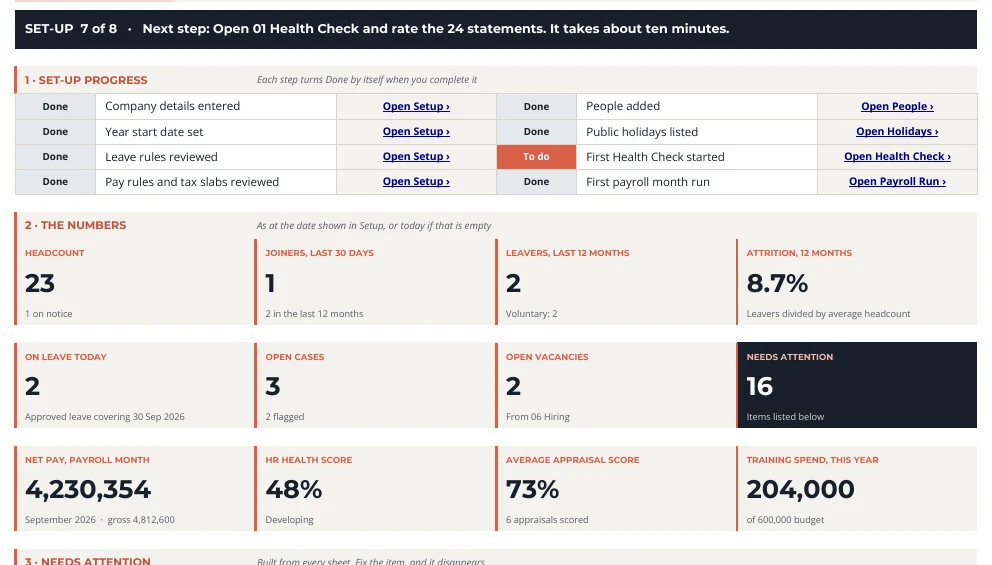
See what needs attention today.
- Set-up progress ticks itself off
- Twelve key numbers: headcount, attrition, health score, net pay and more
- A Needs attention list with a link to each item
Ten modules
The same ten, all connected.
01CHECKWhere does HR stand?4SHEETS
02BUILDLetters, job descriptions, policies5SHEETS
03FIXCases and compliance dates2SHEETS
04MANAGELeave, holidays, attendance5SHEETS
05PAYROLLPay run, payslips, settlements4SHEETS
06PEOPLEEngagement, hiring, onboarding, exits4SHEETS
07PERFORMGoals, appraisals, nine-box4SHEETS
08LEADOne-to-ones, delegation, succession4SHEETS
09ACADEMYSkills, training, certificates3SHEETS
10OUTSOURCEMake or buy, vendors, SLAs4SHEETS
01 Check
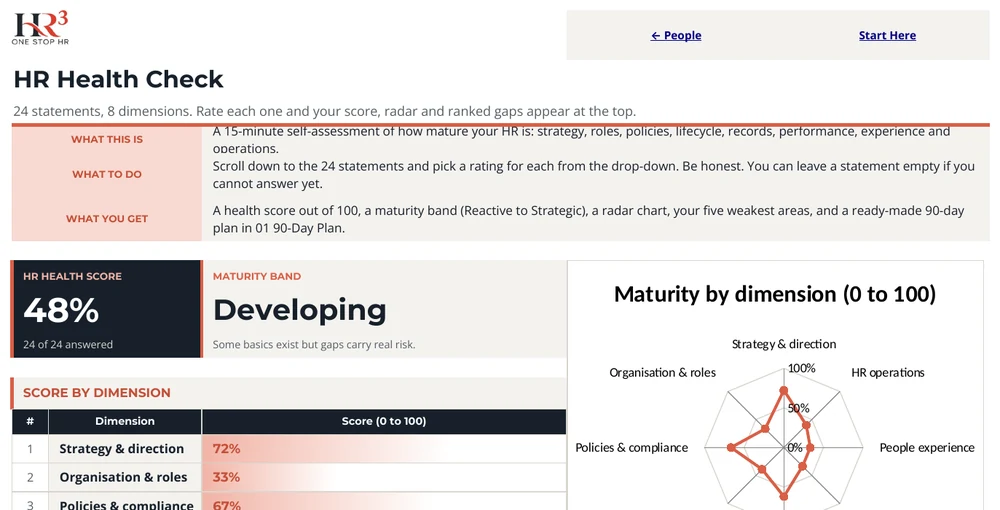
Know where your HR really stands.
- Rate 24 statements in about ten minutes
- Get a score, a maturity band and a radar chart
- Receive a ready-made 90-day plan of the biggest gaps
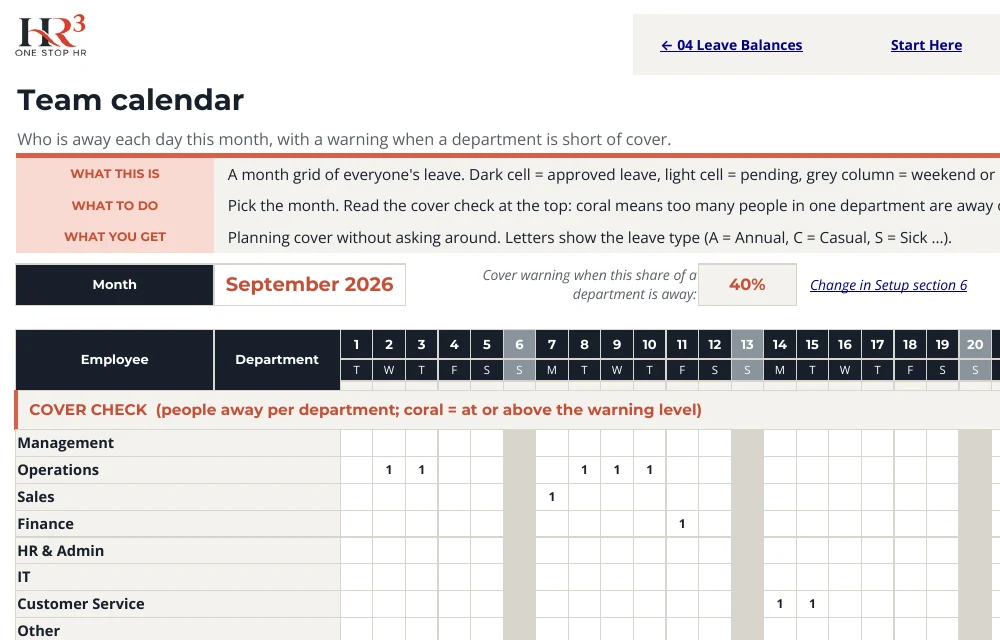
04 Manage
Leave that counts itself.
- Working days skip weekends and public holidays
- Balances include carry-forward
- The team calendar warns when too many people are away
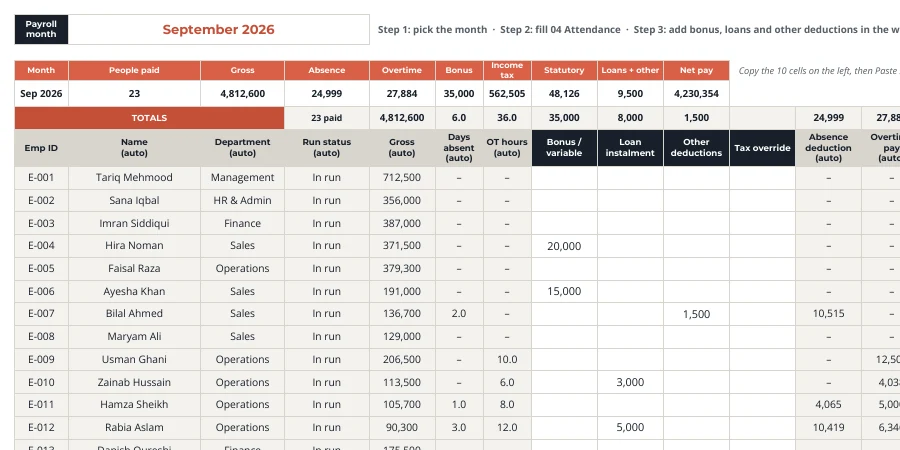
05 Payroll
Gross to net for everyone, every month.
- Pick the month, then type bonus, loans and deductions in white cells
- Absence, overtime, statutory deduction and tax are calculated
- A Flag column highlights anything odd
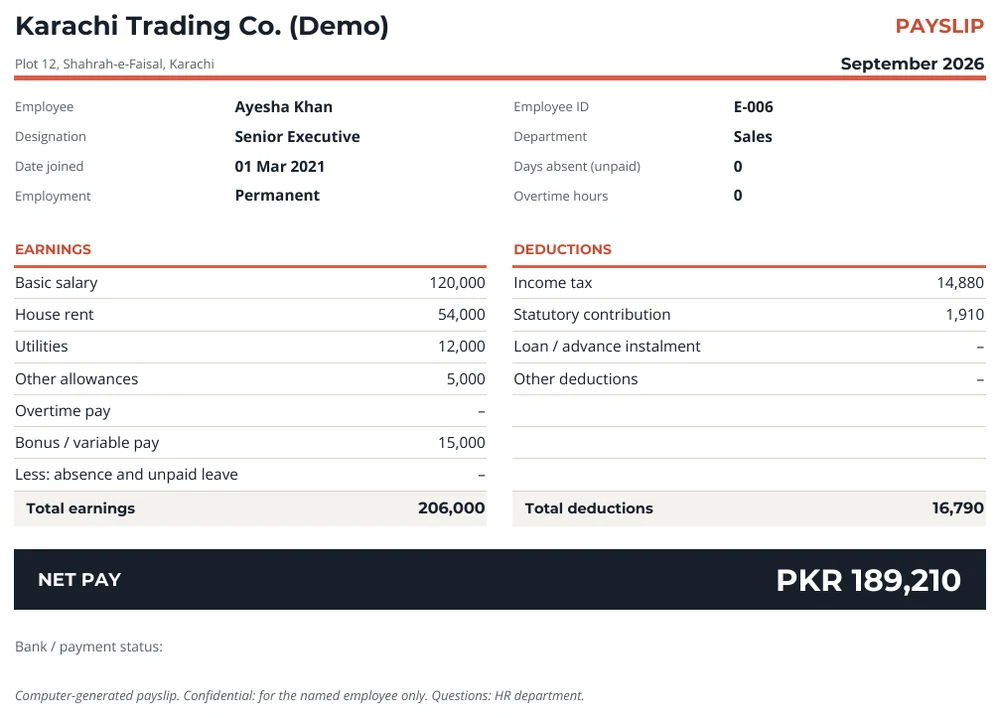
Payslips and letters
One click to print.
- Branded payslip for any person and month
- Letter templates fill in names, titles and dates
- Print or save as PDF
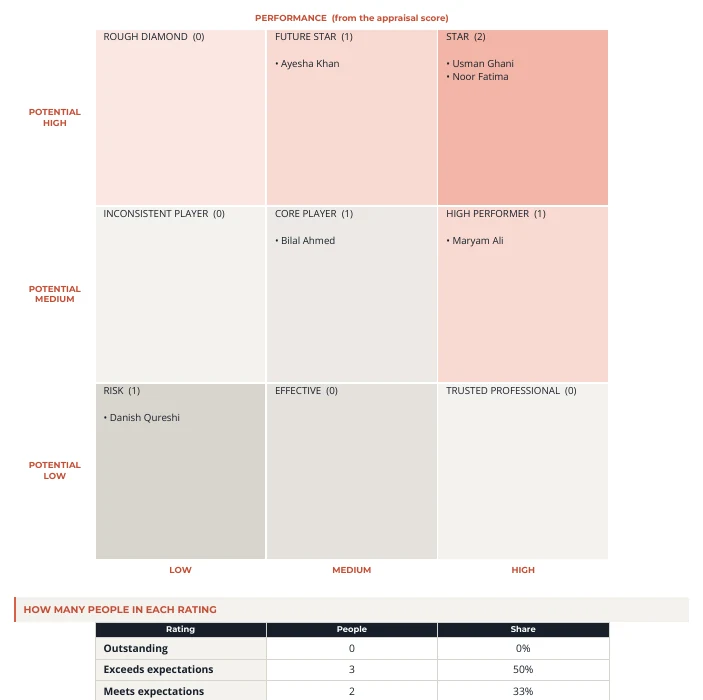
07 Perform
Appraisals and the nine-box.
- Weighted scores and rating labels
- The nine-box places everyone by performance and potential
- Goals and KRAs in one library
09 Academy
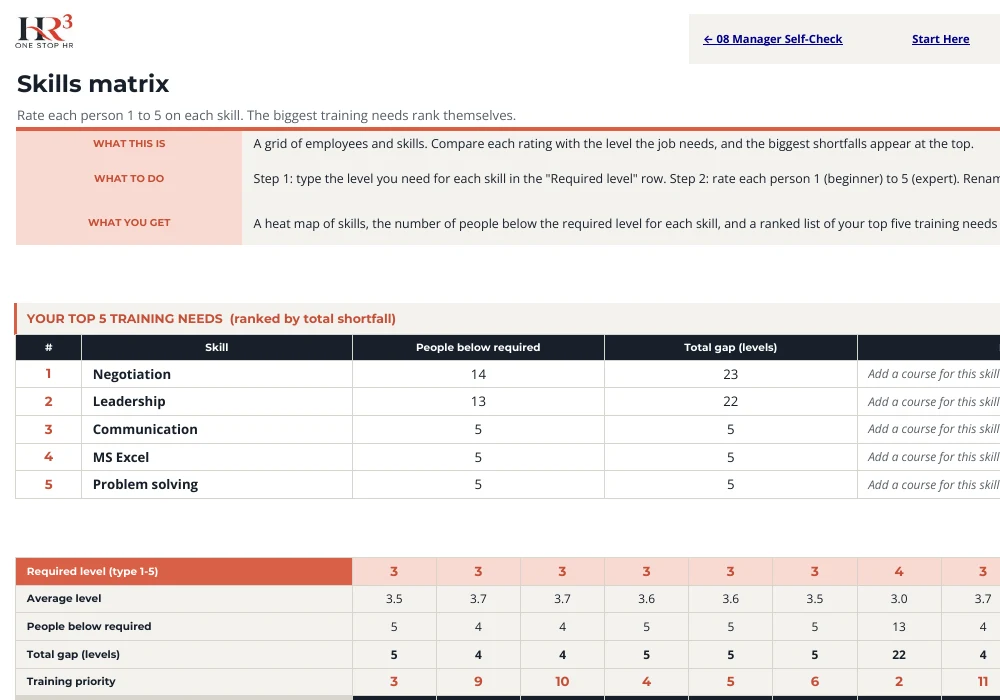
Find the skills gaps and rank the training.
- Rate skills 1 to 5 per person
- The biggest shortfalls rise to the top
- Plan courses and track spend against budget
10 Outsource
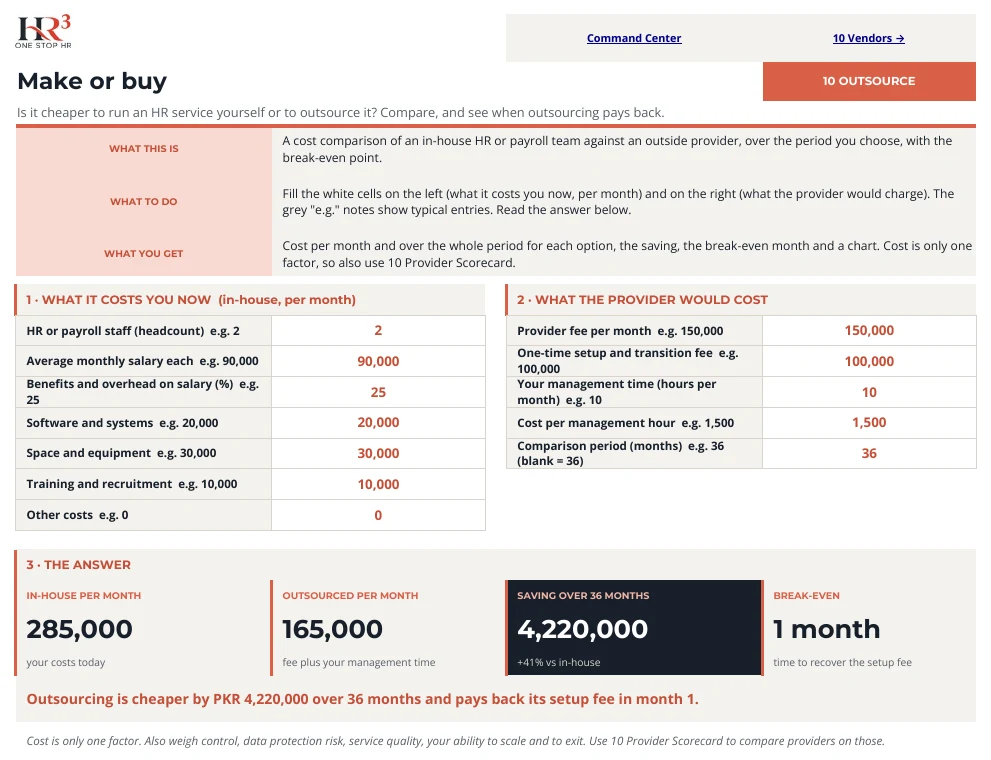
Make or buy? See the break-even.
- Compare an in-house team with a provider
- Shows the saving over your chosen period
- Then score providers on the Provider Scorecard
Reports
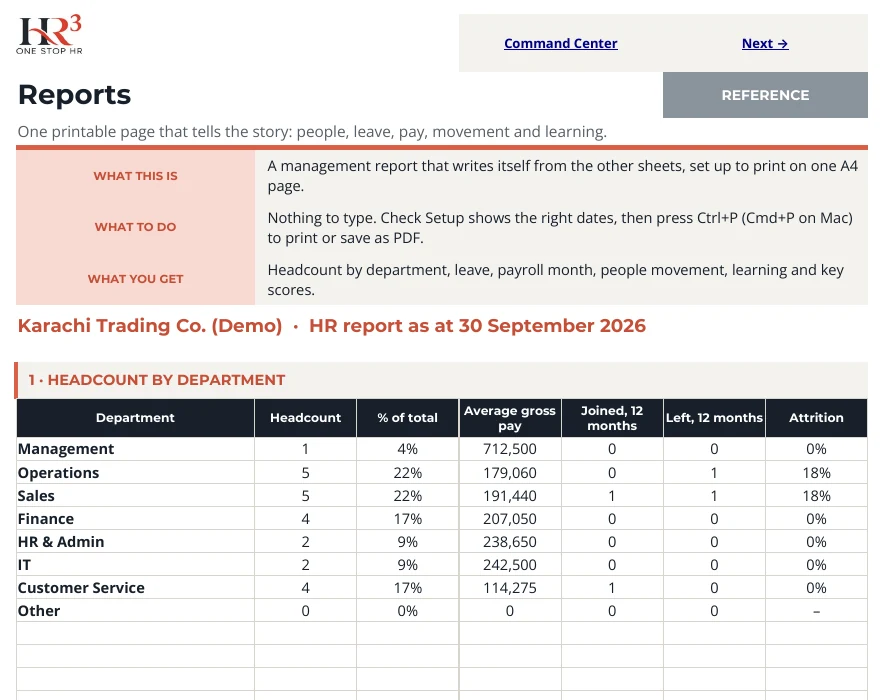
A one-page report for your leadership meeting.
- Headcount, leave, pay, movement and learning
- Set up to print on one A4 page
- Press Ctrl+P to print or save as PDF
Same colours everywhere
Know what to touch at a glance.
White cellYou type here. A drop-down or hint appears.
Grey cellCalculated for you. Leave it alone.
LinkJumps to the next sheet you need.
CoralNeeds attention: an overdue item or a flag.
Sheets are protected without a password, so formulas stay safe and typing cells stay open.
In four steps
From download to first dashboard.
1Open Start HereFollow the five numbered steps.
2Fill in SetupCompany name, year start, leave and pay rules.
3Add your peopleOne row per person on the People sheet.
4Run the monthLeave, attendance, payroll, then read the Command Center.
HR³ PRO · Excel edition
One workbook. Ten modules.
10Modules
43Sheets
1User Guide PDF
HR³ — One Stop HR · 714/2, Emirates Road, Karachi · onestophr3.com · info@onestophr3.com · +92 331 3747705
Practical HR templates and guidance, not legal advice. Pay slabs, rates and letter wording are samples; confirm current official figures before use. Needs Microsoft Excel 2016 or later.
1 / 16